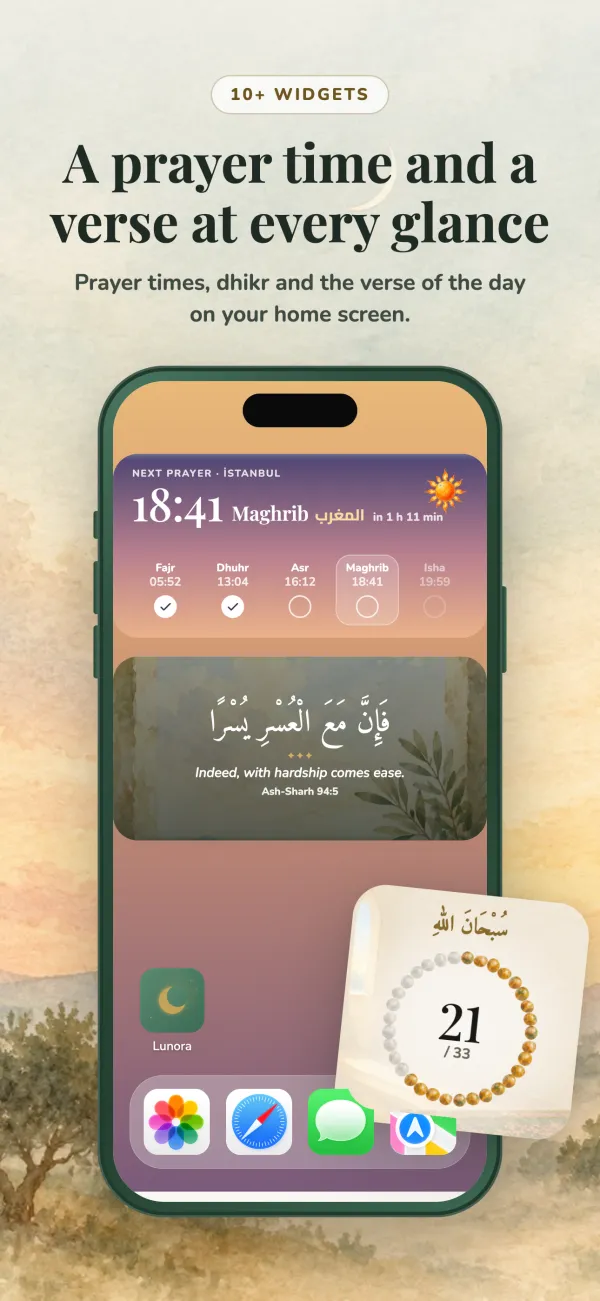
Your tasbih, on the home screen and in the app
Three dhikr widgets, a counter that keeps rounds and sets, and a library that tells you where each dhikr comes from.
Count from the home screen
The “Tesbih with count” widget shows a ring of 33, the phrase you are saying and a + Count button. Tap the phrase to move to the next one, or ↺ to start the round again.
A ring that shows today
The small “Dhikr counter” widget shows how much dhikr you have made today. On iPhone it can also sit on the lock screen.
Beaded tesbih
A large widget draws your dhikr as a cord of beads, with the counted beads in colour (Lunora+).
A dhikr library with sources
113 entries in 16 categories: after prayer, morning and evening, before sleep, travel, illness, distress, istighfar, salawat, Rabbana duas and more. Each one shows the Arabic, a transliteration, the meaning and its source, such as “Muslim 591”.
Your own dhikr and sets
Write your own dhikr or pick one from the library, set a goal of 33, 99, 100, 1000 or any number, and build sets whose steps follow one another.
The 99 Names
Read Allah’s Beautiful Names with their meanings, or count through all 99 in order, each tap bringing the next name. A “Name of the day” widget is available too.
From the app to your home screen
- 1
Start a dhikr in the app
Open Dhikr in Lunora and choose a dhikr from the library, the tasbihat after prayer, morning or evening adhkar, or one you created.
- 2
Tap to count
Tap anywhere on the counter. At the goal the round closes and the count starts again; in a set, the next step begins. Many steps also have audio you can listen to.
- 3
Add the widget
From your phone’s widget gallery, add “Tesbih with count” or “Dhikr counter”.
- 4
Keep counting from the widget
The widget starts with the dhikr you last counted in the app, then offers six everyday phrases: SubhanAllah, Alhamdulillah, Allahu Akbar, La ilaha illallah, Astaghfirullah and salawat. Each tap shows on the widget straight away and is added to your daily count in Lunora.
How the widgets work on each phone
On iPhone
Counting from the widget works on iOS 17 and later, on the home screen and on the lock screen. On iOS 16 the widget still shows your count, and a tap opens the counter in the app.
- Dhikr counter: small, plus lock screen versions
- Tesbih with count: medium
- Beaded tesbih: large (Lunora+)
On Android
Tap the widget to count, the same way as on iPhone. The tile keeps the taps and Lunora folds them into your daily count, so nothing is counted twice.
- Dhikr counter
- Tesbih with count (4×2)
- Beaded tesbih (Lunora+)
Frequently asked questions
Yes. Add Lunora's “Tesbih with count” widget and tap + Count or the ring. Each tap is counted on the widget and added to your daily count in the app. On iPhone this needs iOS 17 or later; on earlier versions a tap opens the counter instead.
The widget first shows the dhikr you last counted in the app, then six everyday phrases: SubhanAllah, Alhamdulillah, Allahu Akbar, La ilaha illallah, Astaghfirullah and Allahumma salli ala Muhammad. Tap the phrase to move to the next one.
Yes. Every entry in Lunora's dhikr library lists its source, for example a hadith number from Bukhari or Muslim, together with the Arabic text, a transliteration and the meaning.
Yes. You can read the 99 Names with short meanings, count through them one by one in order, and add a “Name of the day” widget. The app notes that the hadith about Allah's ninety-nine names is sahih, while the list of names itself was compiled by scholars.
Yes. Dhikr and dua remain available on period days. When Period Mode is on, the Dhikr screen also links to the Period Mode guide, which sets out the views of the four madhhabs on reading the Quran during menstruation.
Lunora is free to download from the App Store and Google Play and has no ads. Lunora+ is a subscription that unlocks the full app, and you can start it with a free trial.